
How Do I Keep the Same Cat Character in Every AI Video?
Why AI cats change faces between clips, and the four locks that stop it: reference sheets, a fixed description, one style and a small cast per shot.
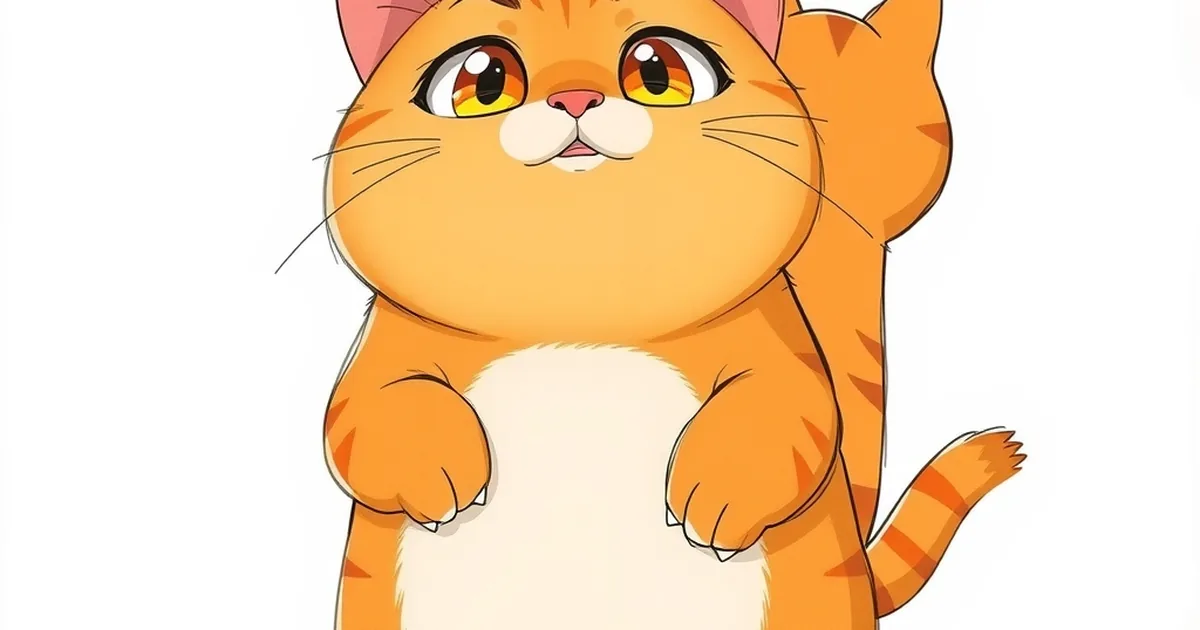
You keep the same cat in every AI video by giving the video model the same reference images of that cat in every single shot, and by holding the written description, the art style and the number of characters per shot steady from one episode to the next. In PawDrama you upload one to three photos of your cat, approve three character sheets, and those sheets are attached to every shot automatically; creating the actor costs 6 credits, and plans start at the price on our pricing page.
The rest of this guide explains why characters drift in the first place and gives you a checklist that works whether you use PawDrama or assemble your own pipeline.
Why an AI cat looks different in every clip
A video model does not remember your cat. Every clip starts from random noise and is shaped by whatever you give it: words, images or both. If the only input is "an orange cat in a kitchen", the model has millions of orange cats to choose from, and it picks a slightly different one each time. The stripes move, the white chest patch grows or shrinks, the eyes go from amber to green.
Drift gets worse in four situations:
- Text only, no image. Words leave too much open.
- Many characters in one frame. Each extra animal competes for the model's attention, and details get swapped between them.
- Changing style. A 3D cat and an anime cat are two different drawings, even with the same description.
- Extreme angles. A face seen from directly above or behind gives the model little to match.
The four locks
Consistency comes from fixing the inputs the model sees. Think of them as four locks:
| Lock | What it holds steady | How to apply it |
|---|---|---|
| Reference images | Face shape, markings, colors, proportions | Attach the same character sheets to every shot |
| Fixed description | The details images can blur, like eye color | Reuse one identity sentence, word for word |
| One style | Line, shading and texture | Pick 3D, anime or claymation per series and keep it |
| Small cast per shot | Each character's own features | No more than three characters in a frame |
Lock 1: character sheets as references
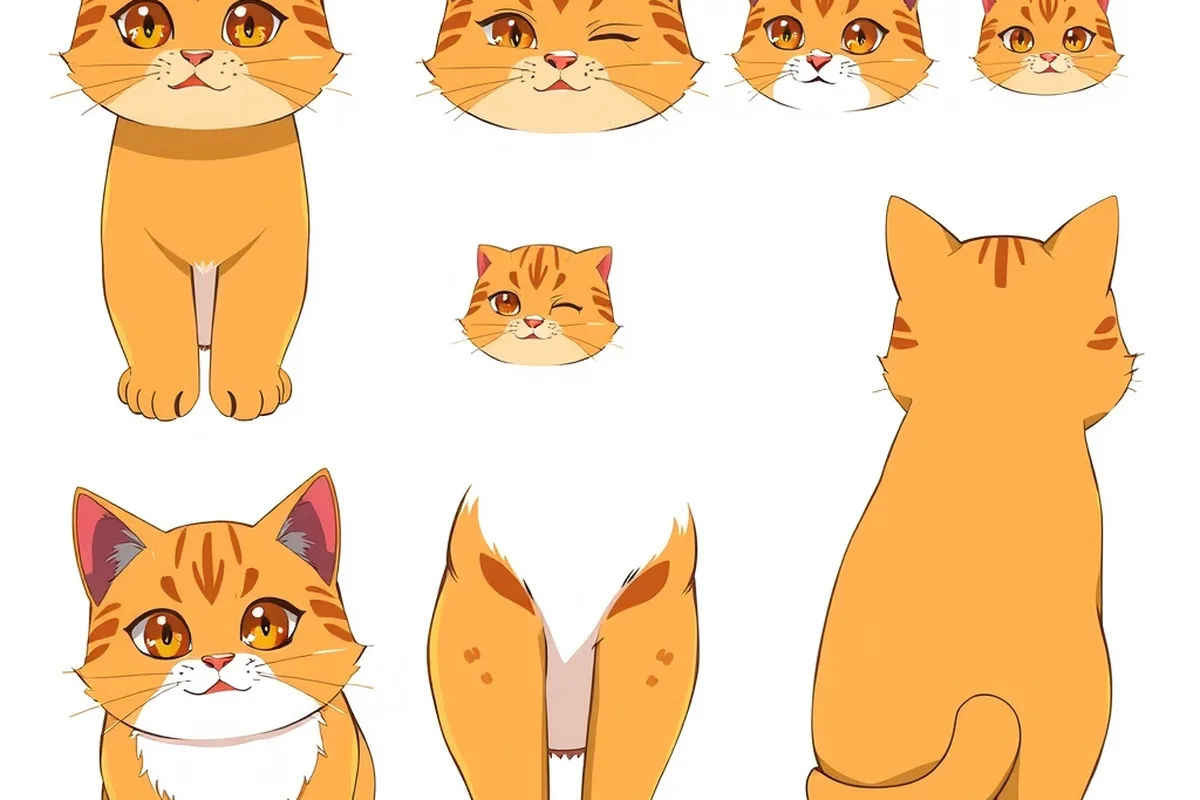
One photo is not enough, because the model needs to know what your cat looks like from the side, when it is angry and how long its legs are. That is why PawDrama draws three sheets from your photos, in the style you chose:
- Turnaround: the cat seen from several angles, so side and back shots have something to match.
- Expressions: a range of faces, so a crying or furious shot still looks like the same animal.
- Full-body pose: the whole character standing, which fixes proportions and leg length.
The image model keeps fur color, markings and eye color from your photos. You look at the sheets, regenerate them if something is off, give the actor a name and save it to My Actors. From then on, every shot that includes this actor uses those sheets as reference images.
Lock 2: one identity sentence you never edit
Images carry most of the load, but a short description fills the gaps. Write it once and reuse it exactly. A pattern that works:
size and build, coat type and main color, markings by location, eye color, one accessory
For example: "a chubby orange tabby tomcat with a white chest, a white tip on his tail, amber eyes and a red bow tie."
Rules that help:
- Name markings by where they are ("black patch over the left eye"), not just that they exist.
- Use the same words every time. "Ginger" in one shot and "orange" in the next is an invitation to change.
- Keep mood out of the identity sentence. "Angry" belongs in the shot action, not the character.
- One accessory at most. Hats, scarves and glasses are the first things to vanish between shots.
Lock 3: one style per series
Switching from 3D to anime halfway through a series redraws your character from scratch. Choose the style before you make the actor, since the sheets are drawn in it, and keep it for every episode. If you want your cat in a second style, treat it as a separate series with its own set of sheets.
Lock 4: keep the frame uncrowded
PawDrama allows up to four actors per episode but only three in one shot, because each one is a reference image and too many references blur together. When you write a crowded scene, stage it as a sequence: the wife cat and the husband in one shot, the rival walking in alone in the next.
Picking the right photos of your own cat
Your photos decide how good the sheets can be. Upload one to three JPG, PNG or WebP files, up to 10 MB each.
- Use daylight and eye level. Flash and harsh lamps change fur color.
- Show the whole body in one photo and a clear face in another.
- Skip filters and heavy edits. The model copies what it sees, including a warm filter.
- Keep people out of the frame. Any photo with a human face is refused. Animals, plush toys and objects are accepted.
- One animal per photo. Two cats in one picture make it unclear which one you mean.
Solid-colored or simply patterned pets give the most stable results. A black cat or a white cat with one clear patch gives the model little to get wrong. A tortoiseshell with complex mottling has more details that can drift, so check its shots closely.
Checking each shot before you move on
After an episode renders, scrub through and look for the usual failures:
- Markings that switched sides, as if the image was mirrored.
- Eye color shifting under colored light.
- The cat suddenly larger or smaller next to another character.
- An accessory that disappeared.
Regenerate only the shot that went wrong. It costs that shot again (5 credits at 480p, 10 at 720p) instead of the whole episode. If the same kind of shot keeps failing, the angle is usually the cause: when you write the next script, favor three-quarter views over shots from directly above or behind.
Keeping the same cat across episodes
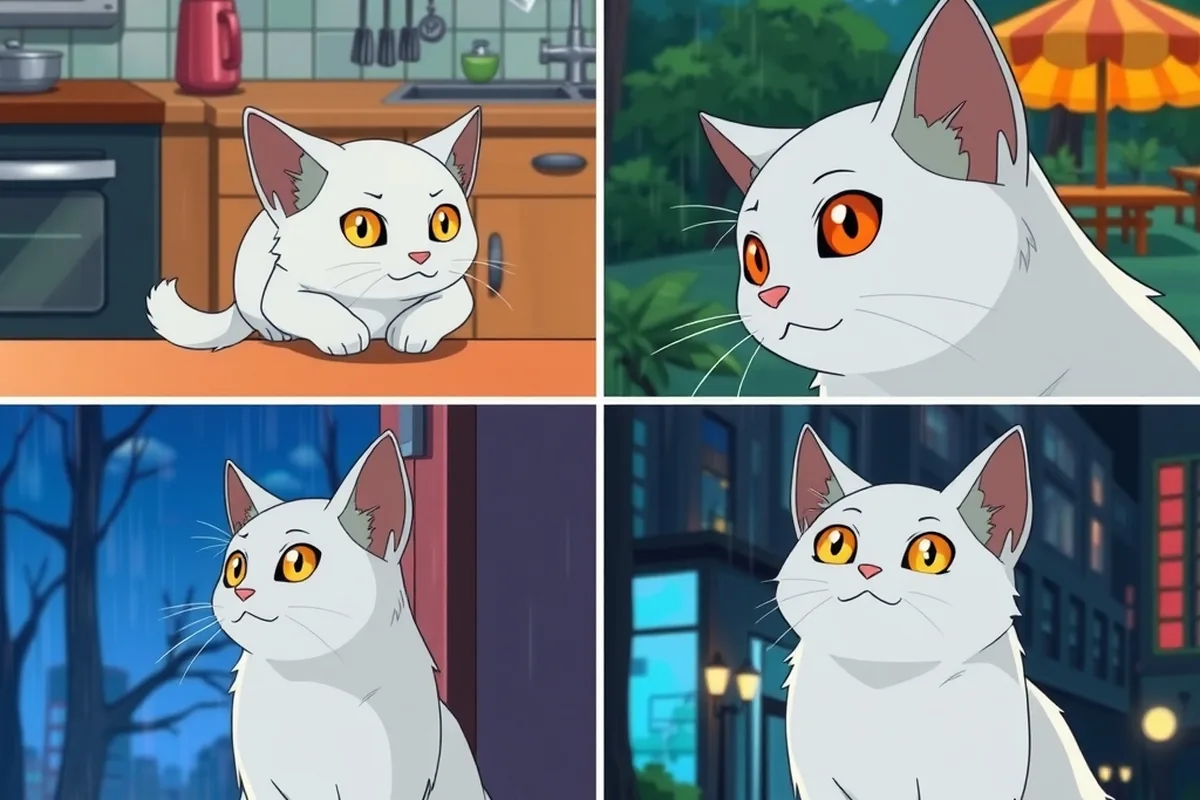
Within one episode the sheets do the work. Across episodes, the risk is you: a different style, a new actor made from new photos, or a rewritten description. Reuse the saved actor from My Actors, keep the style, and use "Make Part 2", which keeps the cast and the style and carries over a summary of what happened. Download every finished episode, because generated clips are kept by the provider for 14 days.
If you build your own pipeline
The same principles apply with any image and video model:
- Generate a character sheet once and save it.
- Attach it as a reference image to every clip, not just the first.
- Paste the identity sentence unchanged into every prompt.
- Keep the style words identical, down to the order.
- If your tool lets you fix the seed, fix it for retakes of the same shot.